DEV

Upgrade your SPFx project (Community Demo)

Upgrade your SPFx project (Community Demo)

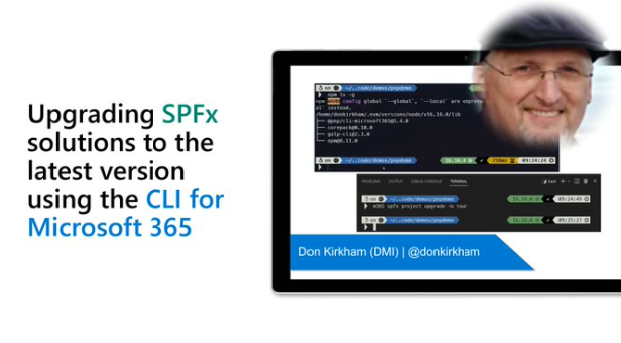
Last week, I had the privilege of doing a live demo during the bi-weekly “Viva Connections & SharePoint Framework” community call hosted by Microsoft. This was my first time presenting in one of these calls, so I was a little nervous, but once the lights are on, all nerves disappear and there is no other option but to press on.

The topic I chose to demonstrate was “Upgrading SPFx solutions to the latest version using the CLI for Microsoft 365.” Whew, that’s a little wordy, but accurately describes the subject. You can watch the full video below, and find the links mentioned in the video at the bottom of this post.

Developing SPFx solutions using Docker

Developing SPFx solutions using Docker

This is the third of 4 articles on using containers for SharePoint Framework (SPFx) development.

Disclaimer

While I have learned a lot about containers over the last 2 years, I do not claim to be the final authority on this topic. My goal over these next 4 articles is share what I have learned and how I use that knowledge in my daily life as a SPFx developer. Containers are not just for SPFx but work on many developer technologies. In fact, I used containers, primarily Codespaces, to write this blog, which uses Hugo/Go. I encourage you to do the research and make your life easier.

Developing SPFx solutions using WSL

Developing SPFx solutions using WSL

This is the second of 4 articles on using containers for SharePoint Framework (SPFx) development.

Disclaimer

While I have learned a lot about containers over the last 2 years, I do not claim to be the final authority on this topic. My goal over these next 4 articles is share what I have learned and how I use that knowledge in my daily life as a SPFx developer. Containers are not just for SPFx but work on many developer technologies. In fact, I used containers, primarily Codespaces, to write this blog, which uses Hugo/Go. I encourage you to do the research and make your life easier.

Developing SPFx solutions using containers - Introduction

Developing SPFx solutions using containers - Introduction

This is the first of 4 articles on using containers for SharePoint Framework (SPFx) development.

Disclaimer

While I have learned a lot about containers over the last 2 years, I do not claim to be the final authority on this topic. My goal over these next 4 articles is share what I have learned and how I use that knowledge in my daily life as a SPFx developer. Containers are not just for SPFx but work on many developer technologies. In fact, I used containers, primarily Codespaces, to write this blog, which uses Hugo/Go. I encourage you to do the research and make your life easier.

SharePoint Framework (SPFx) Quick Start (Updated 2022)

SharePoint Framework (SPFx) Quick Start (Updated 2022)

DEPRECATED: This article has been updated. Please see the latest version at SharePoint Framework (SPFx) Quick Start (Gulp toolchain for SPFx v1.21.0 and earlier)

This article left in place for historical reference.

BLAH BLAH BLAH! Just take me to the code!

Even though this post is more wordy than I like, this is the Quick Start guide I use when I am setting up a new computer to work with SPFx. Microsoft has a very detailed guide for SPFx setup at Set up your SharePoint Framework development environment. The Microsoft guide is good, but covers a lot of stuff that you might not need. If my guide doesn’t work for you, I would recommend that you go back to the official documentation. When working with SPFx, there are lots of additional tools that can be installed to enhance your development experience. For this Quick Start, I wanted to keep those tools to a minimum. I deviate from the “stock” installation from Microsoft with three tools that I use on a daily basis and feel are critical for developers that will be building many SPFx projects over long periods of time.

My first Hackathon

My first Hackathon

This will be short, since I can’t talk about details without getting in trouble. Microsoft hosts an annual Hackathon for their employees and this year, for the first time, they allowed MVPs and RDs to participate. Since I had never participated in a Hackathon before, I was eager to see what the experience was like.

One of the biggest challenges was just picking which project(s) you want to be a part of. There were hundreds! And while the hackathon is just a few days long, many of the projects are much bigger than can be accomplished in a few days, so they continue long after the hackathon is complete.