SPFX

Join me at M365 Collaboration Conference in June

Join me at M365 Collaboration Conference in June

Conferences are slowing coming back and I am personally looking forward to talking to attendees, sponsors, and speakers in person again. First on the agenda this year is the M365 Collaboration Conference (formally the SharePoint Conference) in Orlando, FL, Jun 8-10. The “big” conference is still scheduled for Las Vegas in December, but this is a hybrid event that promises to be an exciting time as we transition from the virtual world we have lived in for the past year. I am honored to be chosen to deliver a couple of sessions during the conference and am looking forward to the trip.

Creating a Section Aware webpart in SPFx

Creating a Section Aware webpart in SPFx

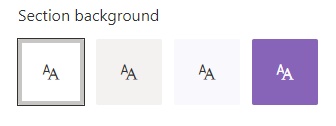
Recently, I built a web part for a client, which led to a discussion about why the web part background was static white, which did not reflect the branding on the page. My quick fix was to just change the color manually, but now I wanted to know more about how I could build webparts that are aware of the area that they are in. It turns out, there are several options, depending on the capabilities needed and the web part framework.

SharePoint Devs be aware! DOM changes are happening!

SharePoint Devs be aware! DOM changes are happening!

Microsoft warned us! The Document Object Model (DOM) on web pages was a common target in my pre-SPFx solutions, especially the ones that used jQuery. When SPFx came along, Microsoft was very clear that the classes and element ids on the modern page were not an API. By that, they meant that there was no contract with developers that those values would not change in the future. The future is here!

Acknowledging Microsoft’s warning, I vowed to stay in the box and not rely on any classes that were not included as part of my solution. Other than “fixing” the workbench to behave like an actual page in SharePoint, I went a long time before breaking my vow. I have a client that complained non-stop about the white-space between web parts on their intranet homepage. I calmly explained multiple times why Microsoft chose to design the modern page with this white-space, but they insisted that I needed to change it. Eventually, the “client is right” mantra won, so I built a web part that would allow the client to adjust the horizontal and vertical spacing between web parts. Again, I warned them that one day the page might just disappear. Happy client == happy paycheck!

As soon as I got the call about the white-space being back, I had a pretty good idea what happened. Sure enough, when I cracked open the Dev Tools of my favorite browser (Edge), it didn’t take long to find the issue. The two classes I used to adjust spacing were no longer there. There were new classes in their place that seem pretty cryptic, having what appears to be an identifier (partial GUID) as part of the class name. Those class names did not look like a stable place to be targeting at all. To Microsoft’s credit, they (mostly) took the old class names and moved them into an attribute called data-automation-id. Not only did this help track down what had changed, but gave me new targets to “fix” my broken web part for now.


SPFx 'gulp clean' - don't neglect its use during deployments

SPFx 'gulp clean' - don't neglect its use during deployments

I recently ran into a situation where building and debugging a SPFx web part seemed to go off the rails. Then I figured out that my normal pattern of skipping the ‘gulp clean’ command during project deployment had cause what I thought was bizarre behavior in Site Collection Features and toolbox.

I was working for a client that does not have a dedicated development or QA environment due primarily to political reasons. They also block access to all non-company tenants. Fortunately, I am able to do my development “off network” and once everything is ready, I move the code inside the firewall. Since this was an update to an existing web part, I knew deploying it to the same tenant as the existing web part was going to be tricky. The existing web part is on the company intranet home page, so getting into a site for testing without affecting the original web part meant deploying into a “QA” site app catalog. I thought this would work and there shouldn’t be any conflict. Famous last words …

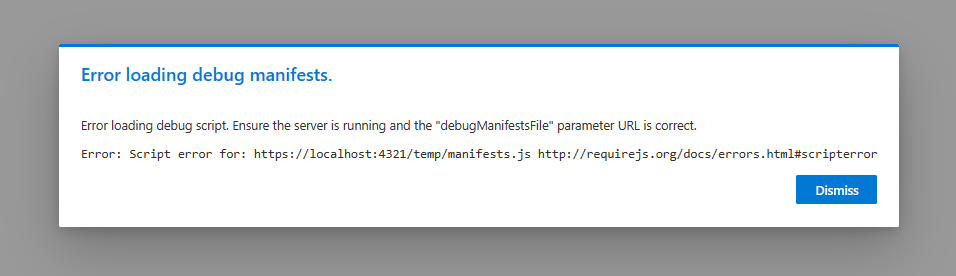
New Debug Options for SPFx (Edge)

New Debug Options for SPFx (Edge)

As the development pendulum has swung back to the “front end,” I find a majority of my time in VS Code. Back in the early days of VS Code, I missed the rich toolset of Visual Studio, but as I became more comfortable with the combination of command line and graphical interfaces in VS Code, as well as the explosion of awesome extensions for VS Code, I found myself opening Visual Studio less and less. (Honestly, when I open Visual Studio these days, it’s because the icon is next to VS Code in my taskbar and I accidentally click the wrong one. As long as it’s open, I apply the latest updates and close it back down.)

SharePoint Framework (SPFx) Quick Start

SharePoint Framework (SPFx) Quick Start

DEPRECATED: This article has been updated. Please see the latest version at SharePoint Framework (SPFx) Quick Start (Gulp toolchain for SPFx v1.21.0 and earlier)

This article left in place for historical reference.

For the several years now, I have concentrated on helping developers to get started coding in the SharePoint Framework (SPFx). My primary message has always been that, “despite it being a complete departure from previous coding approaches in the SharePoint, it’s not as difficult as it seems and you should just give it a try.” I am updating that presentation to include recent changes to SPFx as I prepare for upcoming engagements at North American Collaboration Summit (NACS) and ShareCloud Summit and will post it on this site when available.