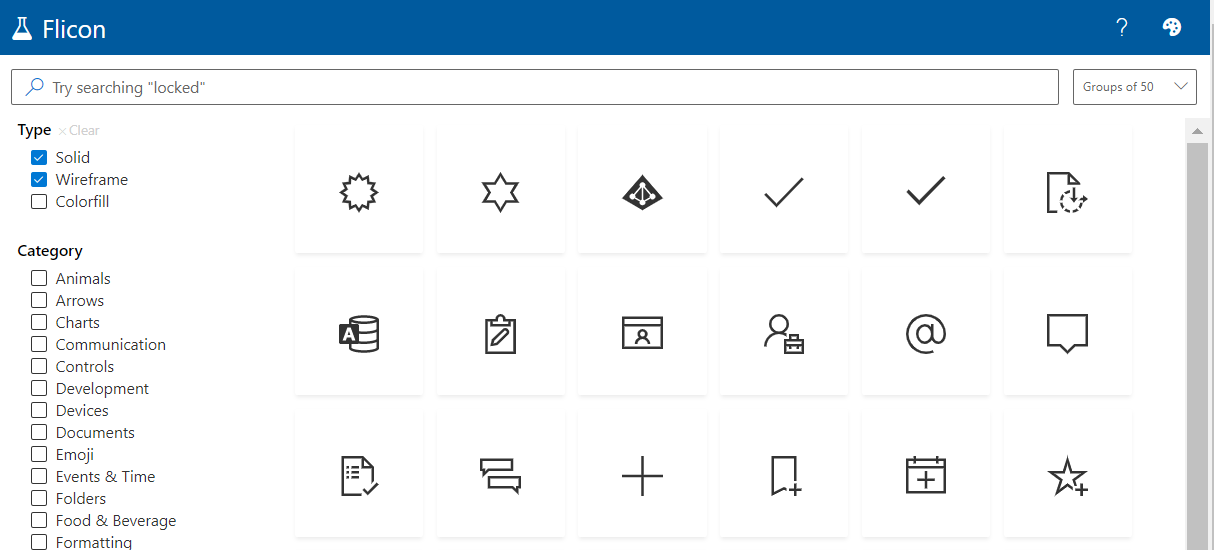
Have you ever found yourself looking for an icon, but not able to quite track down the perfect one? Between SPFx projects and the new modern list formatting capabilities in Microsoft 365, I am often looking for the icon to perfectly represent my idea. Until now, this process involved browsing through the Fluent UI website in hopes that I will stumble across one that works. Now there is a better way: Flicon.io
This new site is the brainchild of Chris Kent, Microsoft Office Development MVP and speaker extraordinaire. As a member of the Microsoft 365 PnP Core team, Chris spends a lot of time working on samples of List formatting, often using icons in those samples. I’m betting that he got tired of trying to find appropriate icons for his entertaining demos on the weekly “Sharing Is Caring” calls and decided to build a better solution. The problem with the current process is that you can only search for icons by name and often the name does not fit into the category of icon you are looking for.
Flicon.io is a tool that lets you search for icons based on categories and tags that have been associated with each icon instead of just the name. Let’s take a look at how that works.