
Posts

Microsoft Most Valuable Professional (MVP)

Microsoft Most Valuable Professional (MVP)

I am extremely proud to announce that I have been selected for the Microsoft Most Valuable Professional (MVP) award for 2021-22 in the Office Developer category. This journey has been long and while it is certainly a lot of work, I love being active in my tech community, from SharePoint to Azure to M365 to Power Platform. When I learned of the MVP program almost 14 years ago, it sounded like a group of ultimate professionals, so I started inquiring about how to become an MVP. We are fortunate to have several MVPs as part of our local DFW SharePoint & Office 365 User Group. Over the years, we have become great friends and they each have been a significant part of my journey.

Certified! Microsoft 365 Developer Associate

Certified! Microsoft 365 Developer Associate

I’m always excited when I earn a certification, but some are more special than others. I have been working for over a year to learn all the skills needed to earn the Microsoft 365 Developer Associate certification. While I have been working as a SharePoint developer for almost 15 years, most of my work has been in very specific areas, like webparts or apps. Certifications normally require more skills than one person would have experience in, even someone doing this as long as I have. MS-600, which is the only exam needed for the certification, covers several areas that I just don’t operate in every day. It has taken a while for me to get comfortable in those areas.

Disconnecting to stay sane

Disconnecting to stay sane

I recently took my first vacation since the Covid-19 pandemic began. We travelled to Puerto Vallarta, Mexico, and to be completely candid, I was nervous. For the last 10 years, I have travelled often for work and pleasure, but this is the first time in over a year that we have been on an airplane. While I think my health is pretty good, I fall into the high-risk category for Covid-19 based on the official guidelines. The thought of going through an airport, getting on an airplane, and staying in a hotel for 9 days was daunting.

Microsoft Certified Trainer for 2021

Microsoft Certified Trainer for 2021

As 2020 ends (finally!), I realized that I neglected to post about an acheivement that I am very proud of. Last month, I was confirmed as a Microsoft Certified Trainer (MCT) for 2021. This is my 5th MCT certification and I even received a nice polo shirt for the 5-year acheivement. I am very proud to be counted among professional instructors in Microsoft technologies and look forward to more opportunities to use my certification help educate others.

Creating a Section Aware webpart in SPFx

Creating a Section Aware webpart in SPFx

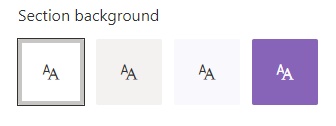
Recently, I built a web part for a client, which led to a discussion about why the web part background was static white, which did not reflect the branding on the page. My quick fix was to just change the color manually, but now I wanted to know more about how I could build webparts that are aware of the area that they are in. It turns out, there are several options, depending on the capabilities needed and the web part framework.

SharePoint Devs be aware! DOM changes are happening!

SharePoint Devs be aware! DOM changes are happening!

Microsoft warned us! The Document Object Model (DOM) on web pages was a common target in my pre-SPFx solutions, especially the ones that used jQuery. When SPFx came along, Microsoft was very clear that the classes and element ids on the modern page were not an API. By that, they meant that there was no contract with developers that those values would not change in the future. The future is here!

Acknowledging Microsoft’s warning, I vowed to stay in the box and not rely on any classes that were not included as part of my solution. Other than “fixing” the workbench to behave like an actual page in SharePoint, I went a long time before breaking my vow. I have a client that complained non-stop about the white-space between web parts on their intranet homepage. I calmly explained multiple times why Microsoft chose to design the modern page with this white-space, but they insisted that I needed to change it. Eventually, the “client is right” mantra won, so I built a web part that would allow the client to adjust the horizontal and vertical spacing between web parts. Again, I warned them that one day the page might just disappear. Happy client == happy paycheck!

As soon as I got the call about the white-space being back, I had a pretty good idea what happened. Sure enough, when I cracked open the Dev Tools of my favorite browser (Edge), it didn’t take long to find the issue. The two classes I used to adjust spacing were no longer there. There were new classes in their place that seem pretty cryptic, having what appears to be an identifier (partial GUID) as part of the class name. Those class names did not look like a stable place to be targeting at all. To Microsoft’s credit, they (mostly) took the old class names and moved them into an attribute called data-automation-id. Not only did this help track down what had changed, but gave me new targets to “fix” my broken web part for now.